The iPhone heart rate monitor that knows what’s typical for you.

Rest a fingertip on the camera and flash for about 30 seconds. Pulse Rate reads your heart rate and an HRV estimate, then, after your first few readings, places it against your own 30-day baseline: below your usual, typical for you, or elevated. No wearable, no account, and free to start.

Get Pulse Rate, free to start

Heart Rate Monitor: Pulse Zone · App Store, iPhone

View on the App Store

Pulse Rate is an iPhone app. Open this page on your iPhone to download it.

  • No wearable
  • No account
  • Readings stay on your own devices
  • Reads Apple Health, never writes to it

For wellness insight, not medical use.

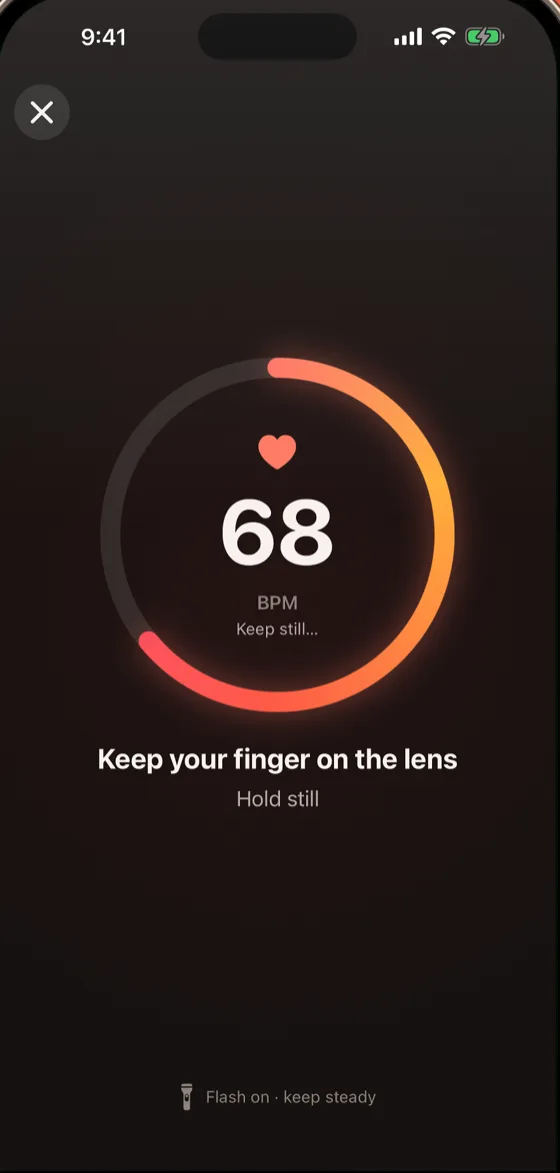
Pulse Rate measuring screen: the measuring ring fills while a fingertip covers the camera and flash.

Your own baseline

See what’s typical for you.

A single number says little on its own. After your first few readings, each one is read against the median of your last 30 days, so the result tells you how today compares with you, not with a chart of strangers.

68BPM
Typical for you

Example reading

Your last 30 days

The shaded band is your typical range. It moves with you as your readings build.

Your typical range Today 30 days ago
Below your usual

This one landed below your usual. Rest, a cool room, or a quiet moment can all bring it down.

Typical for you

Your pulse is in your typical range for a calm moment. Resting readings are most useful when taken at the same time each day.

Elevated

This one landed above your usual. Movement, caffeine, or a busy moment can lift it, and a few slow breaths often settle it.

How a reading works

About 30 seconds, no wearable.

  1. Cover the lens and flash

    Rest one fingertip lightly over the rear camera and the flash. Pulse Rate turns the flash on for you.

  2. Hold still for about 30 seconds

    The camera sees the tiny change in color each time your heart beats. The ring fills while it reads, and coaches you if the signal drops.

  3. Read it against your baseline

    You get your heart rate, an HRV estimate and a stress estimate. From your fourth reading, you also see where today sits against your own last 30 days.

What builds from your readings

One reading a day becomes a picture of you.

Trends on a real time axis

Resting heart rate and HRV, by day. A week is free; month and 6 months come with Premium.
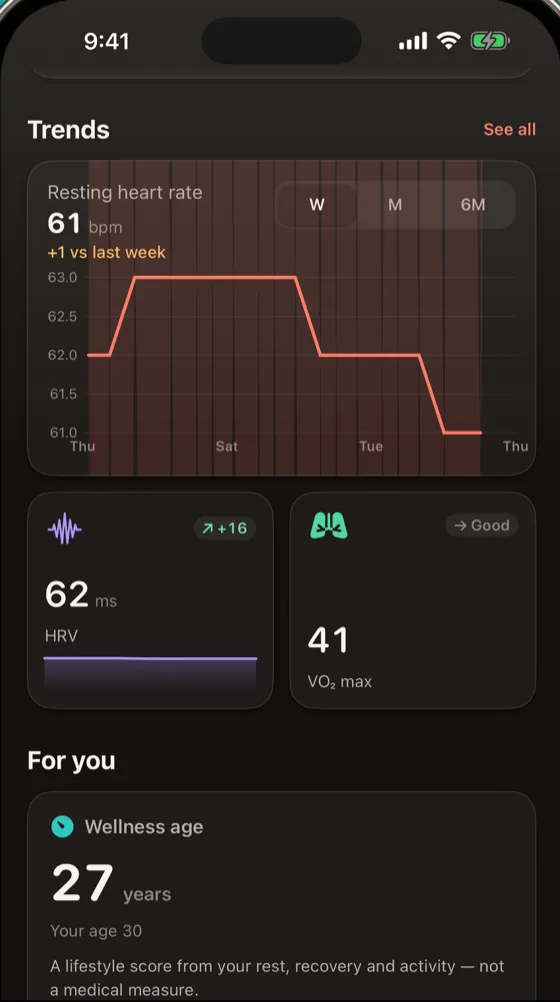
Trends screen with a week of resting heart rate, an HRV tile and a VO₂ max tile.

HRV and stress estimates

The same 30 seconds gives an HRV estimate (RMSSD) and a stress estimate. Both are most useful as a trend against your own readings.

Wellness Score

Free

A score from 0 to 100, built from HRV, resting heart rate, sleep and activity against your baseline. It stays hidden until there are enough readings to make it real.

Wellness Age

A lifestyle score on an age-like scale, built from your readings and the activity Apple Health holds.

Your zone, when you are working

A reading at 50% of your heart-rate reserve or higher shows its zone; below that the app shows Rest. Zones are estimated from your age and resting heart rate.

AI workout notes

Premium

Pick one workout from Apple Health and get a plain-language note on how it went. One workout at a time, never a summary of your weeks.
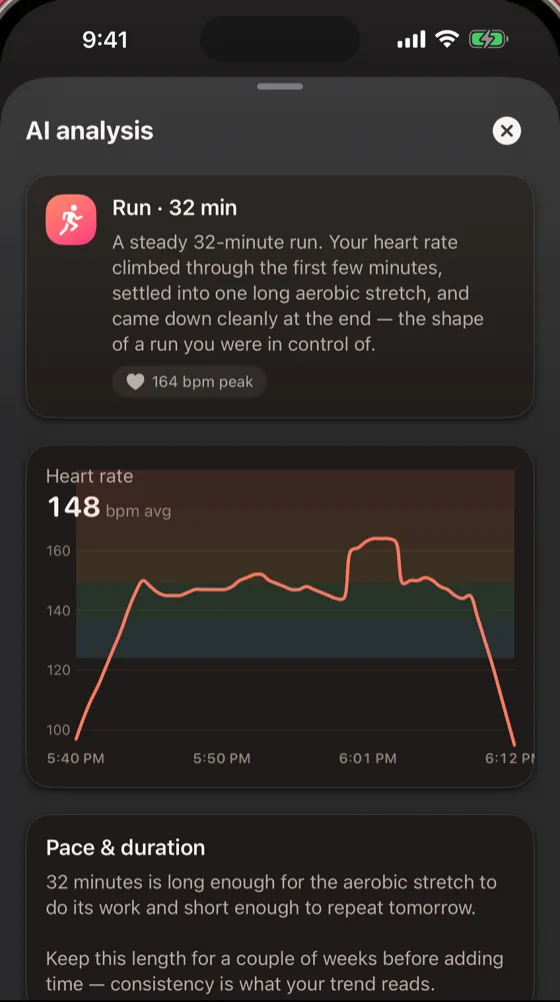
AI analysis sheet for a 32-minute run, with a short note and the workout’s heart-rate chart.

Box breathing

Breathe in, hold, out, hold: four seconds each, six rounds. Pulse Rate measures your heart rate before and after.

Habit tools

A streak ring, a month calendar, a daily goal that adapts, a daily reminder and a Sunday summary.

Apple Health, read only

Pulse Rate reads from Apple Health and never writes to it. VO₂ max is read and shown as an estimated fitness level.

  • Workouts
  • Resting heart rate
  • Heart rate
  • VO₂ max
  • Sleep
  • Active energy
  • Steps

Watch, widgets and iPad

Four Apple Watch complications show your last iPhone reading; the watch does not measure. Plus widgets, iPad, iCloud sync, lifestyle tags and CSV export.

Free to start

Readings are free, without a limit.

Premium adds depth to what you already have. Prices are set in the App Store, in your currency.

Free

  • Unlimited readings, HRV and stress estimates
  • Wellness Score
  • Week trends
  • Box breathing and habit tools
  • Apple Health read, CSV export, blood pressure journal

Premium

  • AI workout notes
  • Month and 6-month trends, past-month calendar
  • Deeper Insights cards and Wellness Age change
  • Shareable weekly card
  • Reading notices at levels you set
  • HRV on the widget and Apple Watch

Questions

Can an iPhone camera measure heart rate?
Yes. With your fingertip over the camera and flash, the camera picks up the small change in color with each heartbeat. Pulse Rate needs about 30 seconds of a steady signal and tells you if the signal drops.
Do I need an Apple Watch?
No. Every reading is taken with the iPhone camera. The Apple Watch app shows your last iPhone reading on four complications; it does not measure.
What does “typical for you” mean?
From your fourth reading, Pulse Rate keeps the median of your last 30 days and shows each new reading as below your usual, typical for you, or elevated. Your first three readings are compared with general resting ranges.
Is Pulse Rate free?
It is free to start. Readings, HRV, stress, the Wellness Score and week trends are free with no limit. Premium adds AI workout notes, longer trends and the other items listed above.
Does it write to Apple Health?
No. Pulse Rate reads workouts, resting heart rate, heart rate, VO₂ max, sleep, active energy and steps. It never writes.
Is it a medical app?
No. Pulse Rate is a wellness and fitness app. It does not diagnose, treat, or monitor any medical condition.

Every page on this site

Take your first reading in 30 seconds.

Get Pulse Rate, free to start

Heart Rate Monitor: Pulse Zone · App Store, iPhone

View on the App Store

Pulse Rate is an iPhone app. Open this page on your iPhone to download it.

Get Pulse Rate, free to start